
Web Console
Drive the full XHack Agent from a browser on any device. The same engine as the desktop app, streamed live, with turns that keep running after you close the tab.
The Web Console
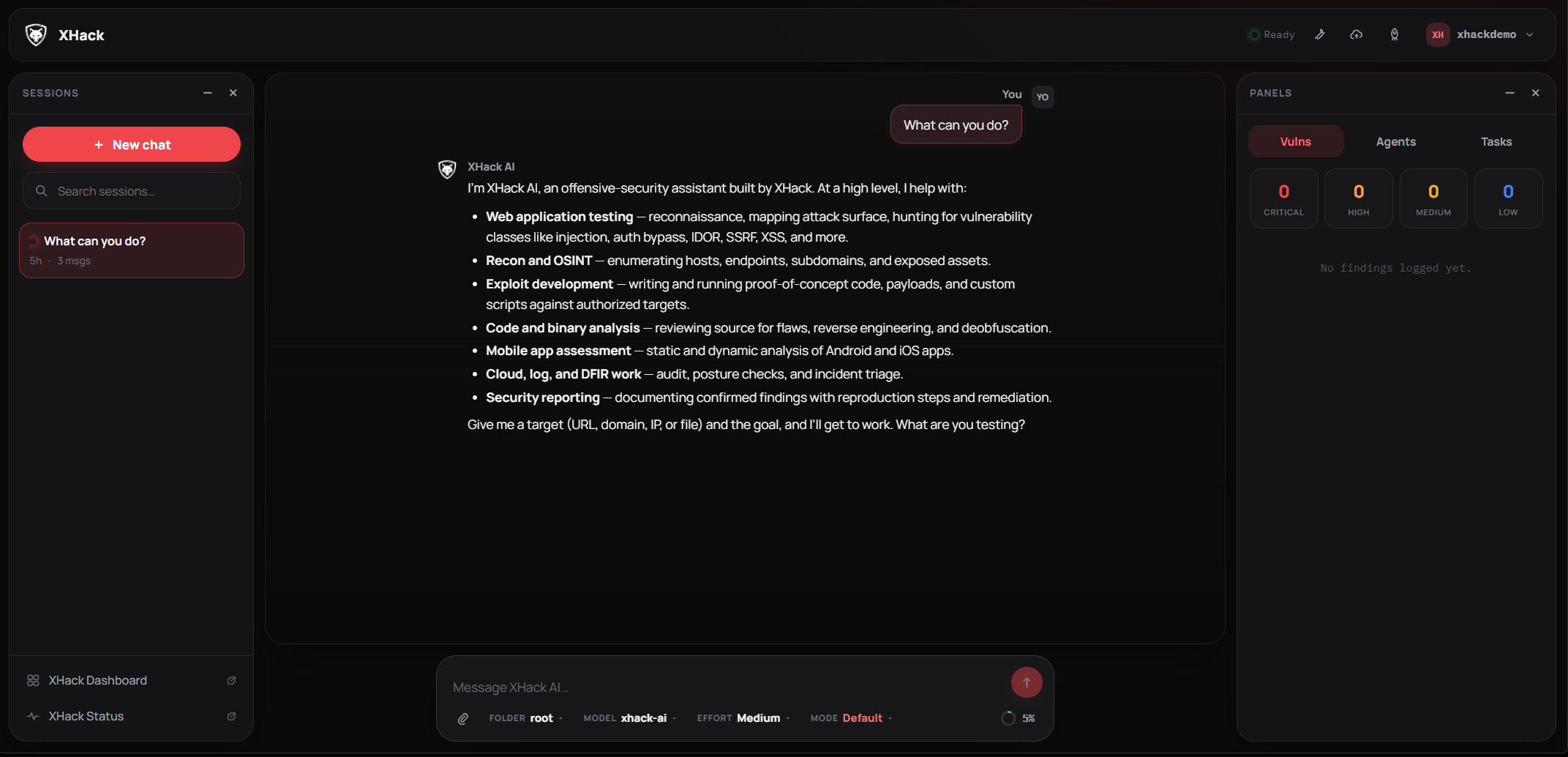
New in XHack AI Agent v2.3.0: a browser interface for the Agent. Open it on your laptop, your phone, or a VPS you control, sign in, and you are driving the same Agent you use on the desktop.
This is not a cut-down companion app. It runs the full Agent, with every tool, every sub-agent and the same autonomous capability. A finding you log in the browser is the same finding the desktop app shows, because both read the same local data.
Everything still runs on your own machine. Nothing is sent to a cloud service to be processed.
Why it matters
Your work survives the tab. Every turn runs on the machine hosting the Agent, not in your browser. Close the tab, lose your Wi-Fi, walk from your desk to a train, and the turn keeps going. When you reconnect, the response picks up mid-stream exactly where it was.
Run several engagements at once. Start an assessment in one chat, open another, then a third. They all run at the same time, and the sidebar shows a live pulse on every session that is still working.
Leave an autonomous run going. A time-boxed unattended engagement keeps running with no tab open at all. Come back hours later, watch it stream, or stop it from whichever device is in your hand.
It installs like an app. The console is a PWA, so you can add it to your home screen or your desktop and get a proper app icon and its own window with no browser chrome. See Install it on your phone or desktop.
What you can do in the browser
The browser gets the whole workbench, not a chat box:
- Chat with live streaming, collapsible reasoning, and a card for every tool the Agent runs. Shell commands show the command, output and exit code. File edits show a diff. Reads and writes show the file.
- Approve tools inline with Allow, Always or Deny, and add a note. Nothing blocks the page while you decide.
- Steer a running turn by typing a new direction while it works, or stop it outright.
- Watch the context meter fill as a run grows, with automatic compaction before it runs out. Compact it yourself and you get a card telling you exactly how much was reclaimed.
- Upload files. Images and PDFs are read and folded into your message; other files land in your working directory. Drag and drop or paste.
- Findings, with severity tiles, verification state, full detail and export to JSON, Markdown, HTML or PDF.
- Sub-agents and tasks. Launch recon, scanner, exploit or full-hunt sub-agents, watch their output live, and pause, resume or cancel any of them.
- HTTP Repeater for capture and replay, with cross-host replay off by default.
- Reports and a cloud event timeline mapped to MITRE ATT&CK.
- Autonomous mode, time-boxed from 15 minutes to 24 hours, with a live countdown.
- Settings for providers, skills, plugins and web access.
On a phone the panels become full-screen drawers and the tool buttons move into the sidebar, so the whole thing stays usable one-handed.
Three ways to run it
| How | Best for | Guide |
|---|---|---|
| From the desktop app | Most people. Two clicks, no terminal. | Set it up from the desktop app |
| On a VPS | Driving engagements from your phone, or long runs that outlive your laptop. | Run the Web Console on a Server |
| Installed as an app | Daily use on a phone, tablet or desktop. | Install it on your phone or desktop |
How access is protected
The console is off until you turn it on, and it binds to 127.0.0.1 until you explicitly say otherwise.
- Sign in with a local username and password you create. Passwords are stored hashed, never in plain text.
- Failed logins are rate limited and lock out after repeated attempts, and every attempt is written to an audit log you can read in Settings.
- Provider API keys are write only. You can set one from the browser, but the server will never hand it back, so a stolen session cannot read your keys.
- Sign out everywhere invalidates every active session instantly, on every device.
- Exposing the console beyond your own machine takes a deliberate, confirmed action. It is never the default.
Next steps
- Set it up from the desktop app, the quickest route.
- Run it on a server for remote work.
- Install it as an app on iPhone, Android, Windows or macOS.
Try XHack AI Now
Experience the full power of XHack directly in your browser. No installation required.
Launch XHack AI