
Catch vulnerabilities before they reach your codebase
GitGuard sits between your developers and your main branch. It scans every pull request the moment it opens, using AI to read the code changes for security issues before anyone merges. No workflow to change, built into the XHack platform you already use.
app.xhack.io / gitguard
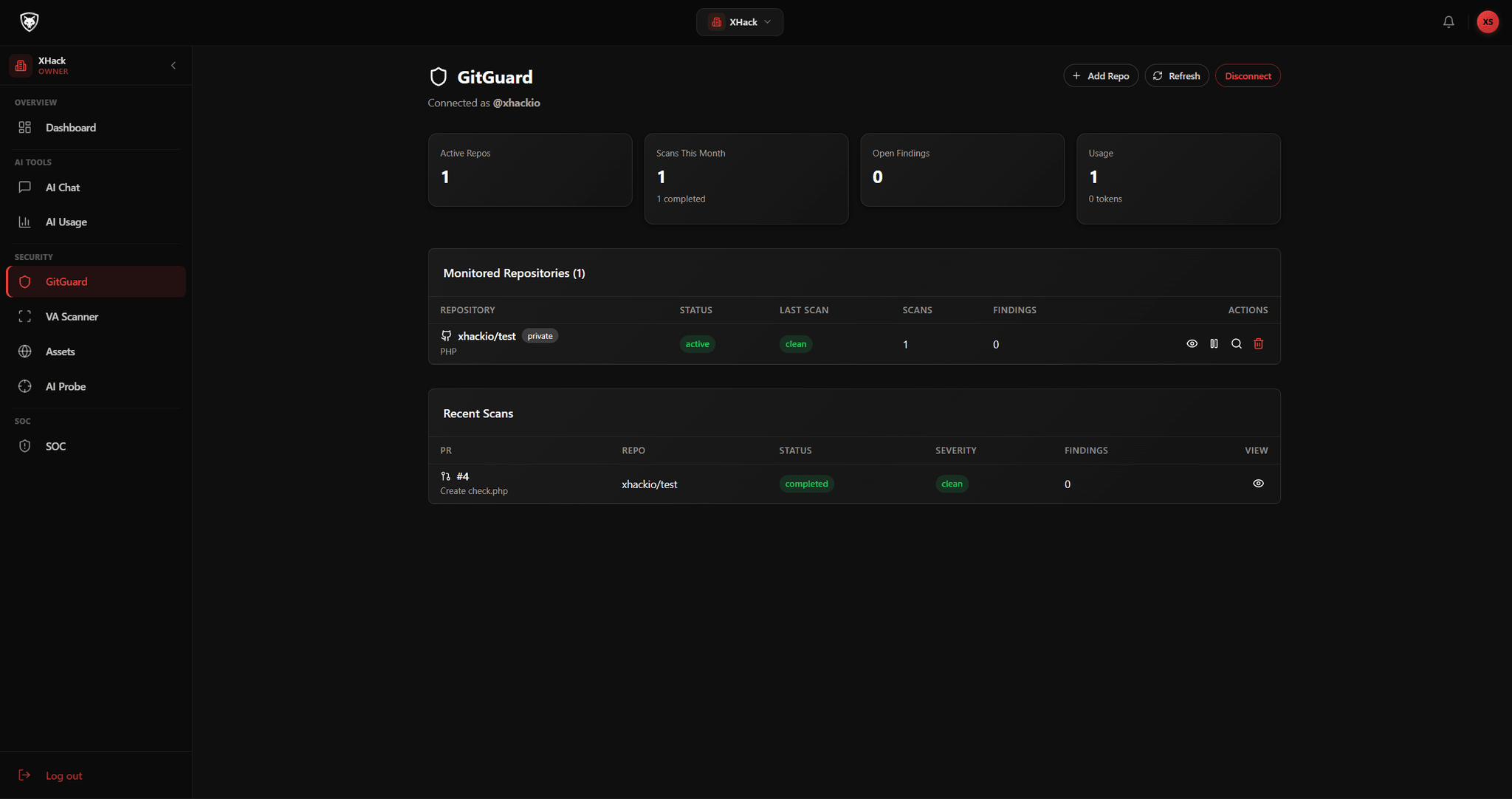
Every PR
Scanned the moment it opens
Inline
Findings posted as GitHub comments
No code
Stored, every scan is ephemeral
Any repo
Public or private, across your org
What it does
A security layer on every pull request
Connect GitHub, pick your repositories and let GitGuard do the rest. It scans every PR automatically, reads the code with AI and posts its findings right where your team already works.
Direct GitHub connection
Connect your GitHub account and pick the repositories you want protected. GitGuard integrates through a secure connection, with nothing else to wire up.
Every pull request, automatically
The moment a PR is opened, GitGuard picks it up and scans it. No manual action, no button to press, nothing for developers to remember.
AI that reads the code
The engine analyses the actual changes in the pull request and understands their context, rather than matching patterns across the whole repository.
Findings inline on the PR
Issues are posted as a structured comment on the pull request in GitHub, right where the developer and reviewers are already looking.
No agent, no CI config
Nothing to install in your pipeline and no YAML to maintain. GitGuard works without touching your build or adding infrastructure.
Your code is never stored
Scans run in an ephemeral environment and nothing is retained afterwards, so sensitive and regulated codebases stay safe.
Alerts for the right people
Optional email notifications keep security leads and engineering managers informed when issues are flagged on important repositories.
Built for any team size
Teams of five and teams of five hundred get the same fast, consistent scans with zero friction added to how they ship.
Simple setup, immediate protection
Connect once, protected from then on
Getting started takes minutes. There is no agent to install, no CI configuration to edit and no extra infrastructure to manage. GitGuard integrates directly with GitHub through a secure connection.
01
Connect GitHub
02
Select repositories
03
A PR opens
04
GitGuard scans the diff
05
Inline comment posted
gitguard / repository
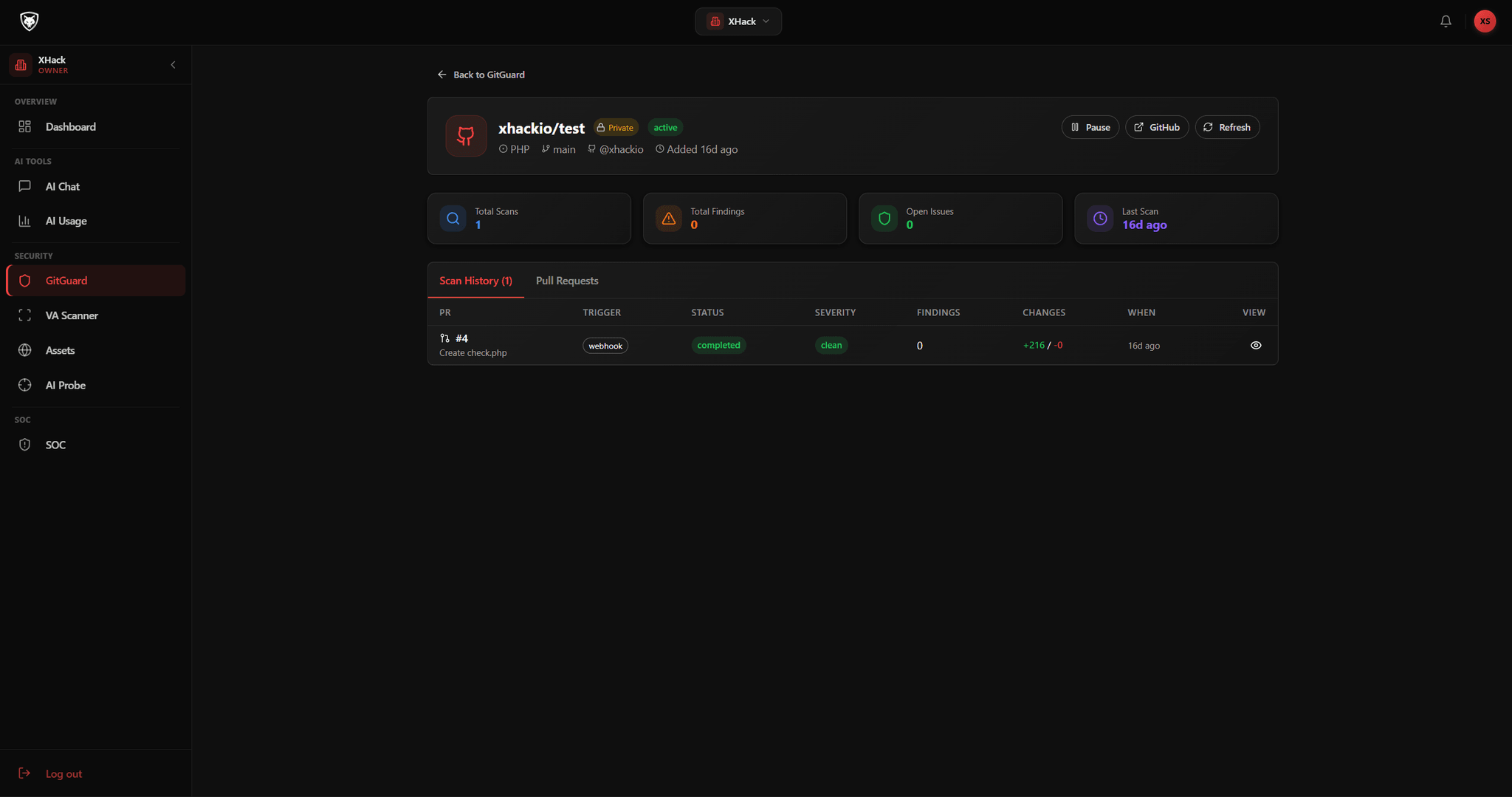
Connect your GitHub account and select the repositories you want to protect, private or public.
Every incoming pull request is picked up and scanned automatically, with no manual action from your team.
Nothing runs in your pipeline, so your build stays exactly as it is and there is no YAML to maintain.
Enable GitGuard across all connected repositories from the platform dashboard in one place.
AI at the core
It reads the diff, in context
GitGuard does not run broad pattern matching across your repository. An AI engine reads the actual code changes in each pull request, understands the context of those changes and identifies the security issues that matter.
AI analysed
The change, not the repo
GitGuard reads what actually changed in the pull request and reasons about that code in context, so findings are about the work in front of you, not noise from the rest of the tree.
AI analysed
Your frameworks and idioms
The engine understands modern frameworks and language idioms, which lets it tell a real vulnerability apart from a safe pattern and keeps false positives low.
AI analysed
Real, exploitable issues
It looks for problems an attacker could actually use, from injection flaws to logic errors, rather than flagging every line that simply looks unusual.
AI analysed
An explanation, every time
Each finding comes with what was found, where it is, why it matters and what to consider doing, written in plain language for the developer.
From a changed line to a clear finding
GitGuard reads the code that changed, reasons about what it does, and returns a finding a developer can act on. Because it understands context, it catches the real issue without flagging safe code around it.
The changed code
+const query = "SELECT * FROM users WHERE id = " + req.params.id;
Possible SQL injection in user lookup
What
Untrusted input concatenated into a SQL query
Where
The changed lines in the user route
Why
An attacker can alter the query and read other records
Fix
Use a parameterised query or your ORM binding
Why context beats pattern matching
It reasons about the new code in context instead of grepping the repo for a keyword
It recognises when a safe, parameterised call is already in use, so it does not cry wolf
Illustrative example. GitGuard posts its findings as a structured comment on the pull request in GitHub.
Coverage
What GitGuard scans for
The AI engine analyses what changed and identifies the issues that matter, across a wide range of vulnerability classes, so real problems surface and routine code stays quiet.
gitguard / scan results
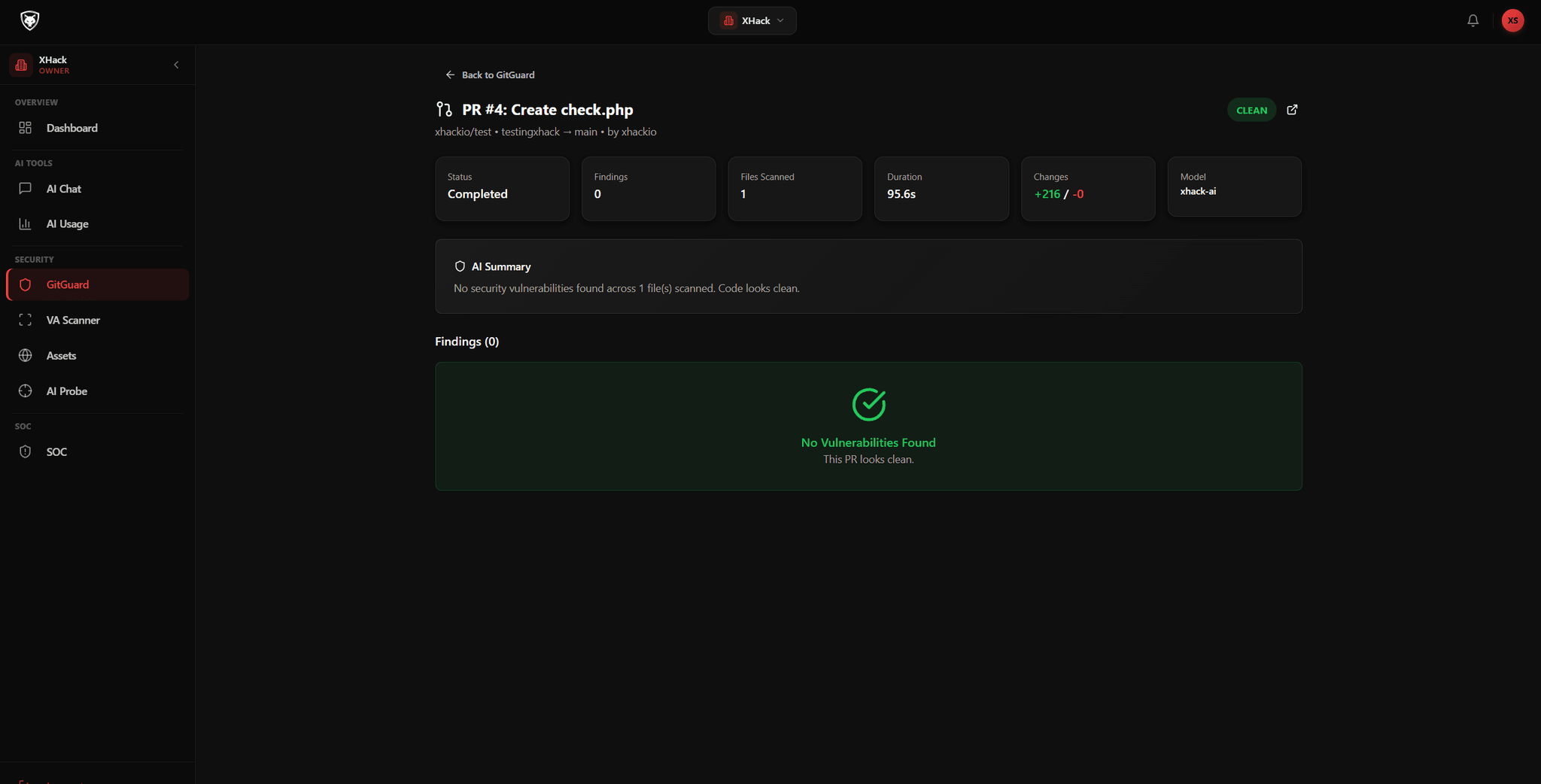
Reads the actual changes
GitGuard focuses on what changed in the pull request rather than running a broad sweep across the entire codebase.
Understands the context
It looks at how the changed code fits with the frameworks and idioms around it, so it knows what is risky and what is routine.
Few false positives
Because it reasons about real behaviour, it catches genuine issues instead of drowning the team in alerts that do not matter.
Coverage that matters
From injection and leaked secrets to broken authentication and logic errors, it targets the classes that actually lead to breaches.
Vulnerability classes it looks for
Because it understands modern frameworks and language idioms, GitGuard catches real issues across these classes rather than flooding your team with false positives.
Notifications
PR feedback that stays out of the way
When GitGuard finds something, it speaks up exactly where the work is happening. Developers keep their flow, reviewers see the full picture and the people who need to know are kept in the loop.
A comment, right on the PR
Each finding explains what was found, where it is in the code, why it is a concern and what to consider doing about it.
The security context stays right where the developer is already working, with no need to switch to another tool.
Reviewers see GitGuard findings alongside the rest of the review, so everything stays inside the GitHub workflow.
Loop in the right people
Optional email notifications keep security leads and engineering managers informed when issues are flagged.
Point alerts at the repositories that matter most, so the right people hear about the right code.
Developers keep working the way they always have while leadership stays informed in the background.
Your data stays yours
GitGuard does not store your code. The scan happens at the time of the pull request and nothing is retained afterwards.
Your source code never leaves a secure, ephemeral processing environment.
That makes GitGuard suitable for sensitive codebases, regulated industries and strict data handling requirements.
Scales with your team
Teams of five and teams of five hundred get the same fast scans and clear, consistent feedback.
Protect a single critical repository or cover every repository across your whole organisation.
On the Premium and Elite platform plans GitGuard is included and enabled across connected repositories from the dashboard.
Questions
GitGuard, answered
No. Developers keep working exactly the way they always have. GitGuard sits between your developers and your main branch and works quietly in the background, only speaking up when something needs attention. There is nothing new for your team to learn.
Minutes. Connect your GitHub account, select the repositories you want to protect, whether they are private or public, and GitGuard is ready. From that point every incoming pull request is picked up and scanned automatically, with no agent to install and no CI configuration to edit.
No. The scan happens at the time of the pull request, the analysis is returned, and nothing is retained on our side. Your source code never leaves a secure, ephemeral processing environment, which makes GitGuard suitable for sensitive codebases and regulated industries.
That is what the AI engine is built to avoid. Because it reads the actual code changes in context and understands modern frameworks and language idioms, it catches real issues rather than flagging every line that looks unusual. Teams get clear, relevant feedback instead of noise.
Scans cover a wide range of vulnerability classes, including injection flaws, insecure handling of secrets and credentials, broken authentication patterns, insecure dependencies, unsafe data exposure, and logic errors that an attacker could exploit.
GitGuard is part of the XHack platform. For organisations on the Premium or Elite platform plan it is included, and it can be enabled across all connected repositories from the platform dashboard. Enable it once and every protected repository is covered.
Protect every pull request
Connect GitHub, pick your repositories and let GitGuard scan every PR before it merges. Start in the dashboard or book a walkthrough with our team.