
Web Console and Mobile App
Use the full XHack AI agent from your browser, on a computer or a phone, with every tool the desktop app has. Install it to your home screen as an app, run it from a server, and keep engagements going in the background even after you close the tab.
The Whole Agent, in Your Browser
New in v2.3.0: run the XHack AI agent from a browser, on your computer or your phone, instead of only the desktop app. It is the same agent with the same tools, delivered as a clean web interface you can open anywhere. You can even install it to your home screen or desktop as a real app.
This is not a stripped-down companion. The browser drives the full agent, with every tool, every sub-agent, and the same autonomous engagements. A finding you log in the browser is the same finding the desktop app shows, because both read the same data on your machine. Nothing is offloaded to the cloud.
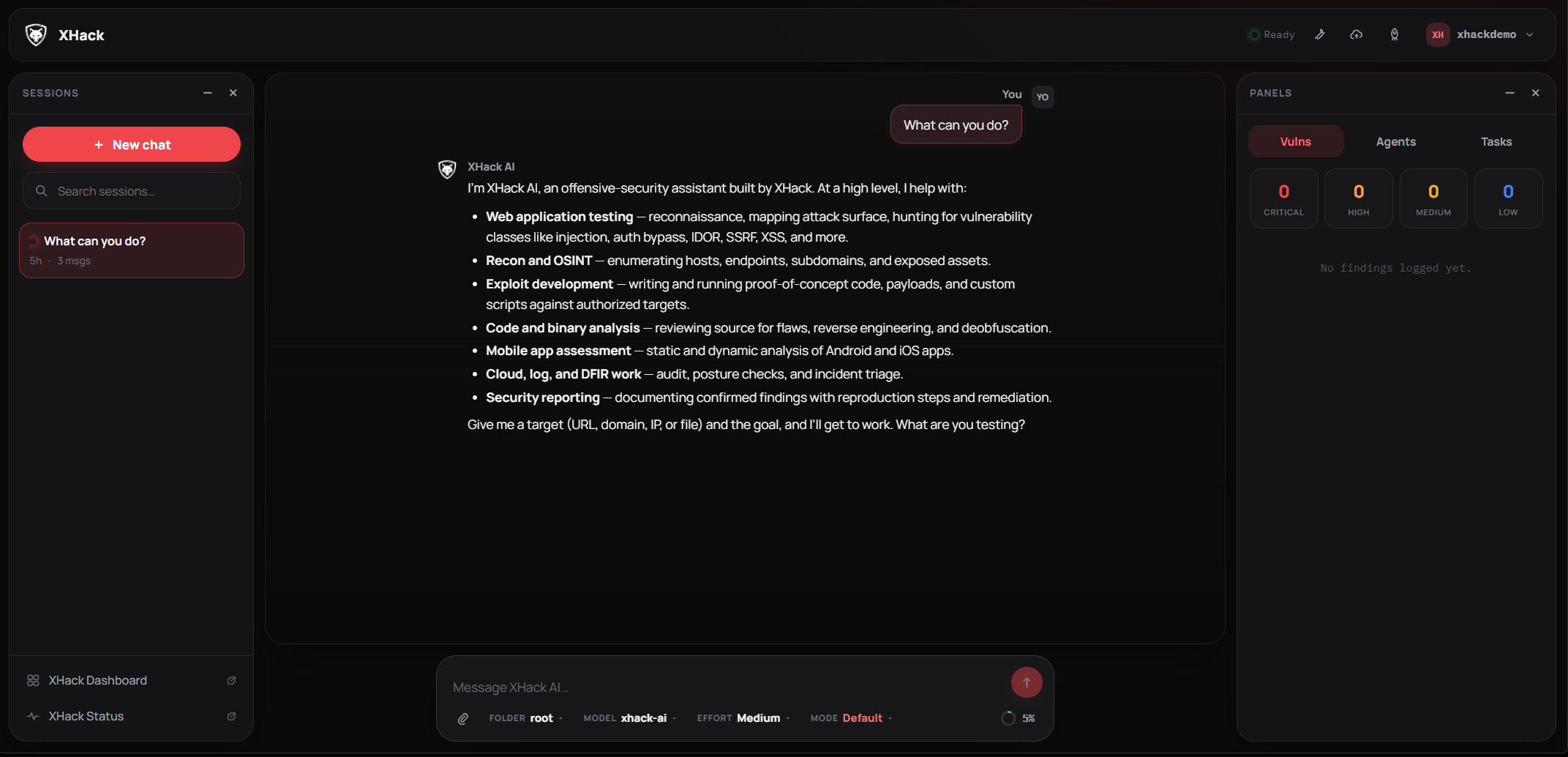
Everything the Desktop App Does
The browser gets the whole workbench, not a chat box:
- Full chat with live streaming replies, collapsible reasoning, and a rich card for every tool the agent runs. Shell commands show the command, output and exit code; file edits show a diff; reads and writes show the file.
- One-tap tool approvals, Allow, Always or Deny with a note, that never block the page.
- The Vulnerabilities panel, with severity tiles, verification state, full detail, and export to JSON, Markdown, HTML or PDF.
- Sub-agents and tasks you can launch, watch live, and pause, resume or cancel.
- The HTTP Repeater, Cloud reports and a MITRE ATT&CK event timeline.
- Autonomous mode, time-boxed from fifteen minutes to twenty-four hours.
- Settings, including providers and models, skills and MCP servers.
It shares the same sessions and history as the desktop app, so you can start an engagement on the desktop and carry on in the browser.
Work That Survives the Tab
Every turn runs on the machine hosting the agent, not in your browser. Close the tab, lose your connection, or switch from your laptop to your phone, and the turn keeps going. Reopen it and the response is still streaming, right where it left off.
You can run several chats at once. Start one engagement, open another, then a third, and they all work in parallel in the background. The sidebar shows a live pulse on every session that is still running, so you always know what is busy.
Install It Like an App
The console is a PWA, so your device can install it. Open the address in a browser, choose Install on a desktop or Add to Home Screen on a phone, and it lands with the XHack icon and opens in its own window with no browser chrome.
On a phone it adapts rather than just shrinking: the menus become slide-in drawers, the tool buttons move into the sidebar, and everything is touch-friendly. Point it at an agent running on a server and you are driving a real pentest agent from your pocket.
Use It From Anywhere
Host the console on a VPS and reach it from your phone or laptop wherever you are. Kick off a long engagement, lock the screen, and come back hours later to a run that is still going with the full transcript waiting.
It is secure by default: protected by a username and password you set, with hashed passwords, rate limiting and lockout on sign-in, an audit log, write-only API keys the server never hands back, and a one-click "sign out everywhere". It stays bound to your own machine until you deliberately choose to expose it.
Get Started
The easiest way is straight from the desktop app: open Settings, then Web Access, create a user, and press Start. Prefer a terminal, or hosting it on a server? Both are covered in the docs.
Try it on your own stack
Run this against a target you own and judge it on what it finds, not on a description.
Try XHack AIQuestions about this?
You get a researcher on the call, not a sales engineer reading the same page back to you.
Contact supportMore in XHack AI
Capabilities that sit alongside this one.