
Vulnerability Assessment — Scan, Analyse, and Act
Register your company assets, run AI-driven vulnerability scans, watch results come in live, and generate actionable reports and mitigation plans for your developers and security team — all from one platform.
Know What Is Vulnerable Before an Attacker Does
Vulnerability Assessment on the XHack platform gives organisations a complete, structured way to discover and address weaknesses across their registered assets. From registering and verifying your assets to receiving a finished mitigation plan, the entire process is managed in one place — with AI doing the heavy lifting.
You do not need to stay at your desk for a scan to be useful. Start a scan, step away, and we will reach you when something needs your attention.
Register and Verify Your Assets
Before running a scan, assets are registered through the platform and go through a straightforward verification process. This ensures that only authorised assets are scanned and that results are tied to the correct infrastructure in your account.
Assets can include domains, subdomains, IP ranges, APIs, and web applications. Once verified, they are available for scanning at any time and remain part of your asset inventory for future assessments.
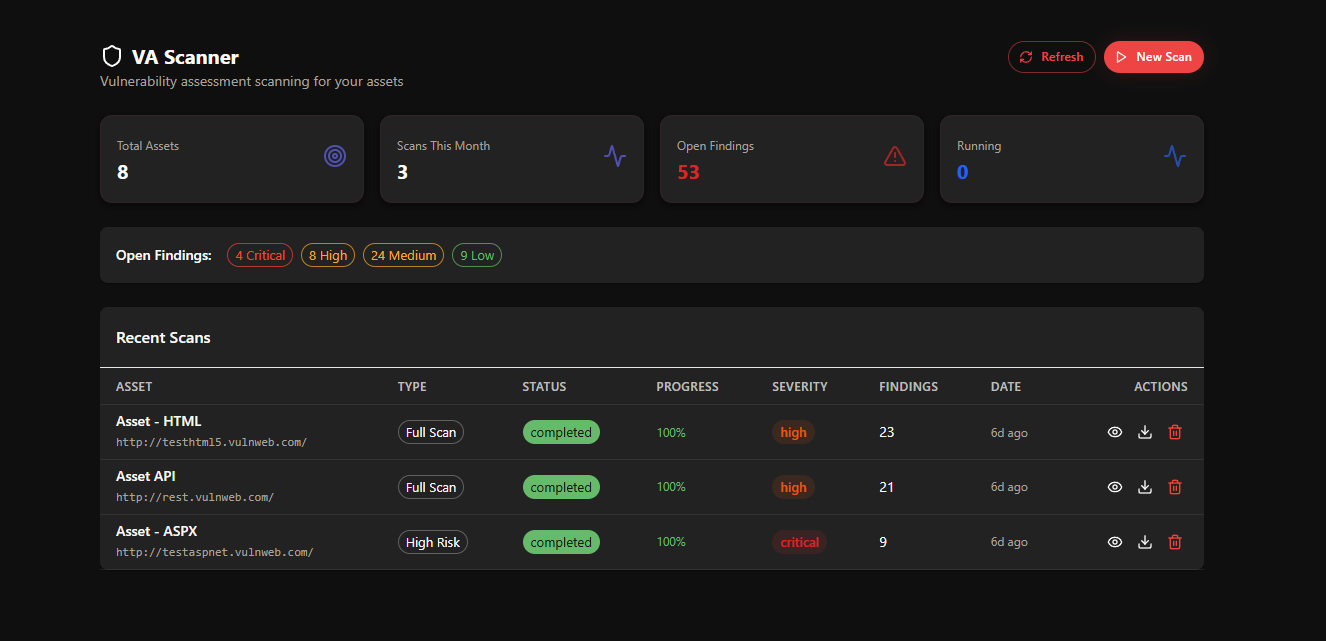
Start a Scan and Do What You Need To
When you are ready to run an assessment, select your asset and kick off the scan. You have two options for how you want to follow along.
If you want to stay and watch, the platform shows live progress as the scan runs. Vulnerabilities appear in real time as they are discovered, so you are never waiting for a final report to understand what is happening. You can review findings as they come in, triage early, and start thinking about remediation before the scan has even finished.
If you have other things to do, close the browser and carry on. The scan runs in the background and you will receive an email notification when it is complete — or when a high-severity vulnerability is found that may need immediate attention. Either way, nothing is missed.
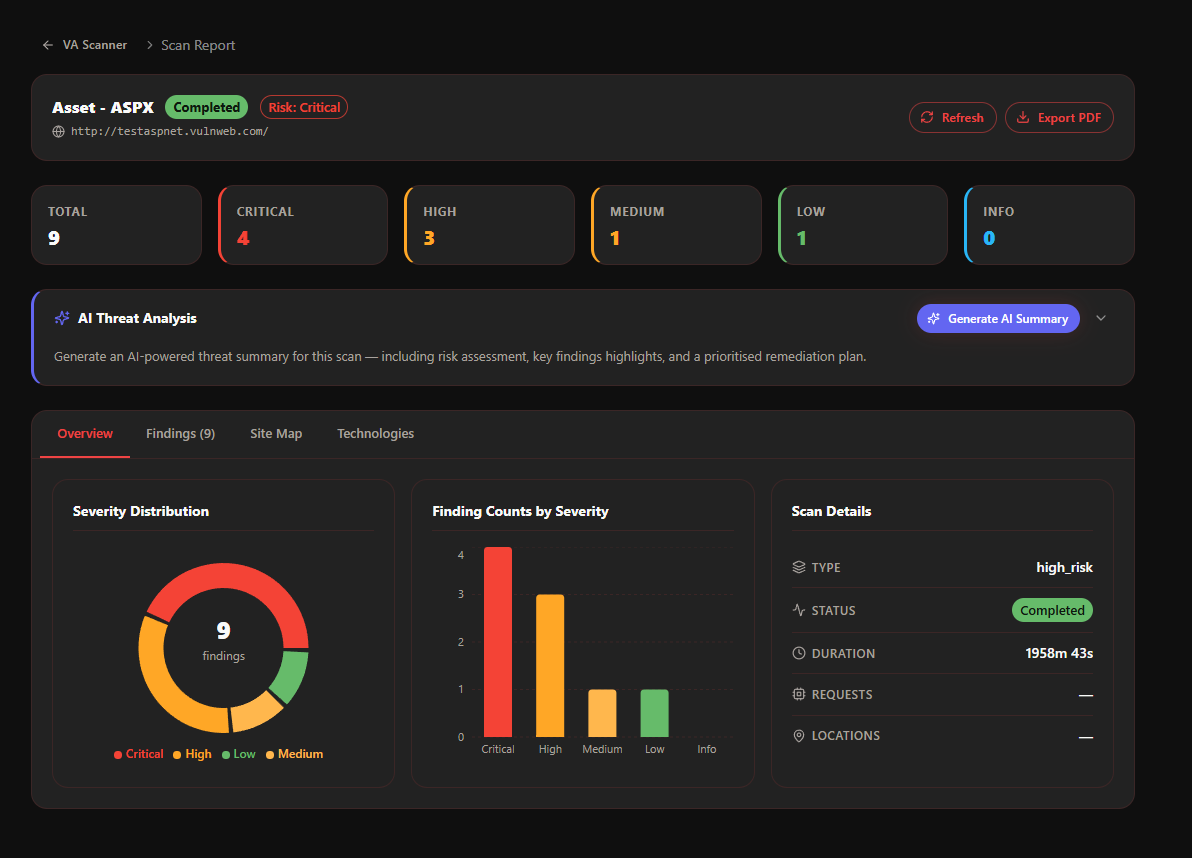
Findings That Are Easy to Act On
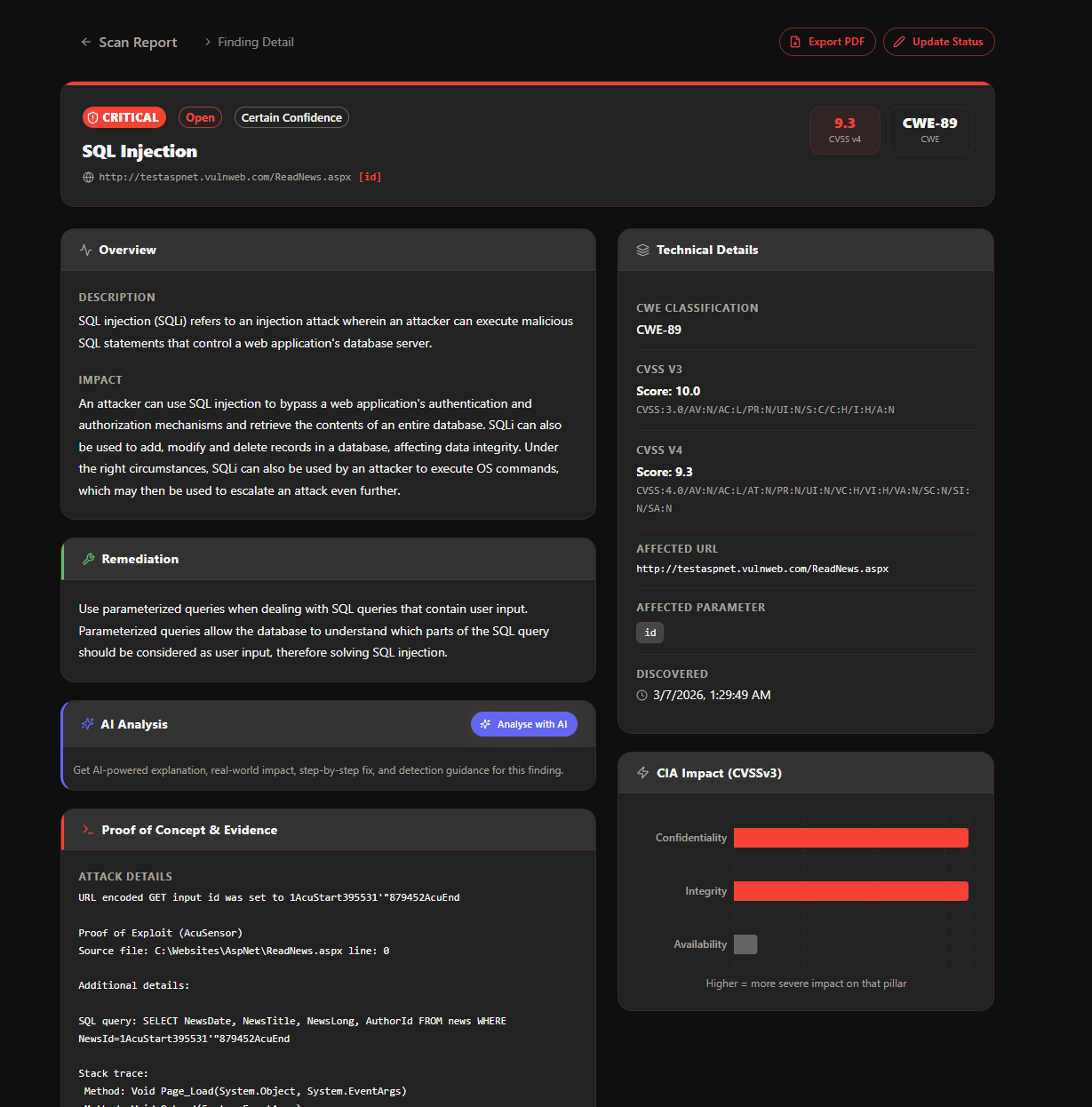
Every vulnerability in a scan result has its own detail view. You can open any finding to see a full breakdown including what was found, where it was found, how it can be exploited, what the potential impact is, and what the recommended fix looks like.
For teams that need deeper analysis, the AI can generate a detailed write-up for any individual vulnerability. This covers technical context, possible attack scenarios, and specific guidance for the developer or engineer responsible for the fix.
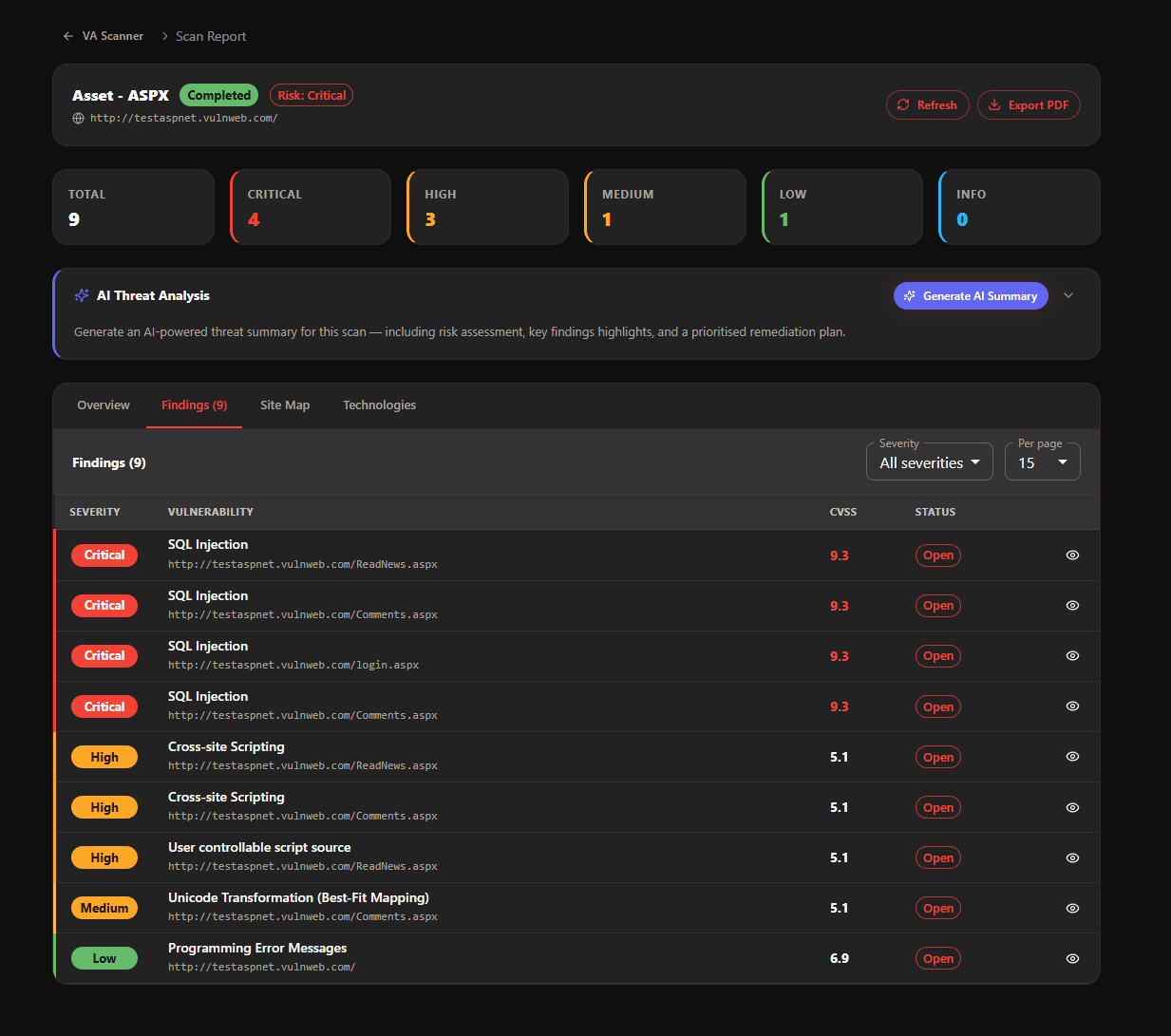
AI Mitigation Plans for the Right Audience
One of the most useful things the platform can do after a scan is turn raw findings into structured plans that different people can actually use.
For developers, the AI produces a technical remediation plan that explains exactly what needs to change in the code or configuration, with examples where relevant. For a CISO or security lead, it produces an executive-level summary covering the risk posture, the most critical findings, and a prioritised action plan. For a project manager or team lead, it can produce a task breakdown that makes it straightforward to assign and track remediation work.
These plans are generated with one click and can be exported or shared directly from the platform.
Reports Built for Real Use
Generate a full assessment report at any point during or after a scan. Reports cover the complete set of findings with risk ratings, evidence, technical detail, and remediation guidance — formatted in a way that is ready to share with internal teams, clients, or auditors.
Reports can be scoped to specific severity levels, specific asset groups, or specific time periods. They work equally well as internal working documents and as formal deliverables for compliance or governance purposes.
Plan-Based Usage and Data Management
Each XHack plan includes a monthly allocation of scan capacity and event storage. Starter plans include two VA asset scans per month, Premium plans include five, and Elite plans include twelve. Scan results and findings count toward your plan quota.
When you no longer need historical scan data, you can delete findings and scan records to free up space. Deletion is immediate and permanent — deleted records free your quota instantly, giving you room for new scans without waiting for the next billing cycle.
Secure by Design
The VA platform is built on a multi-tenant architecture. Your assets, scan results, and reports are completely isolated from other organisations on the platform. No data is shared across tenants, and all scan activity is logged with a full audit trail available from your account.
Try it on your own stack
Run this against a target you own and judge it on what it finds, not on a description.
Get StartedQuestions about this?
You get a researcher on the call, not a sales engineer reading the same page back to you.
Contact supportMore in Security platform
Capabilities that sit alongside this one.