
Bring Your Own Key (BYOK)
Connect your own OpenAI, Claude, Gemini, GLM, Mistral, or xAI key — or an OpenRouter catalogue key — pick the exact model behind every chat and agent run, and keep working inside XHack's engine. Keys are encrypted, never shown, and fully under your control.
Your key, your model — XHack's engine
XHack runs on a fast, security-tuned model out of the box, so you never have to configure anything to start working. But when you want a specific model, your own billing, or your own data-processing agreement, Bring Your Own Key hands you the wheel without giving up any of the platform around it.
Connect a key from a supported provider, choose the model you want, and every chat message and every autonomous agent run flows through your provider — while still using XHack's security instructions, guardrails, tool routing, and streaming. Same engine, your engine room.
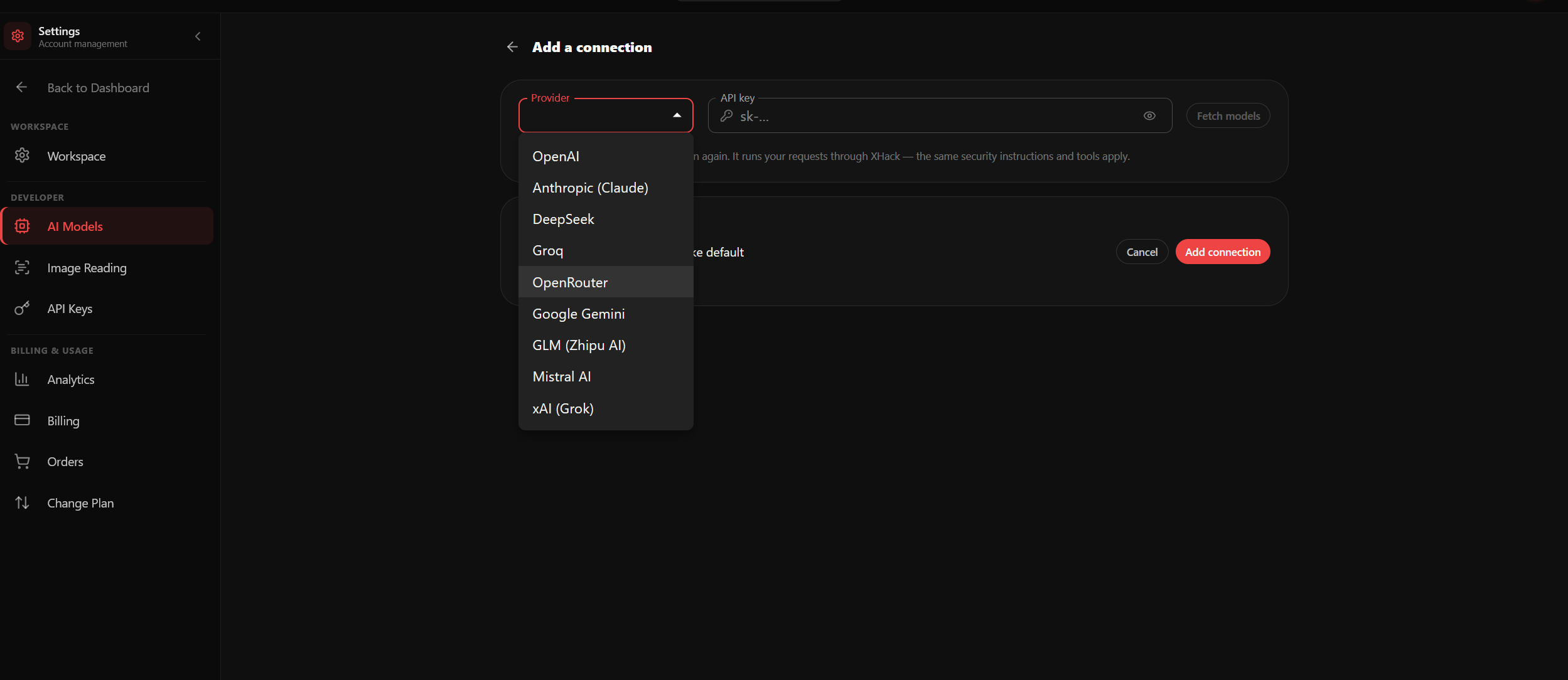
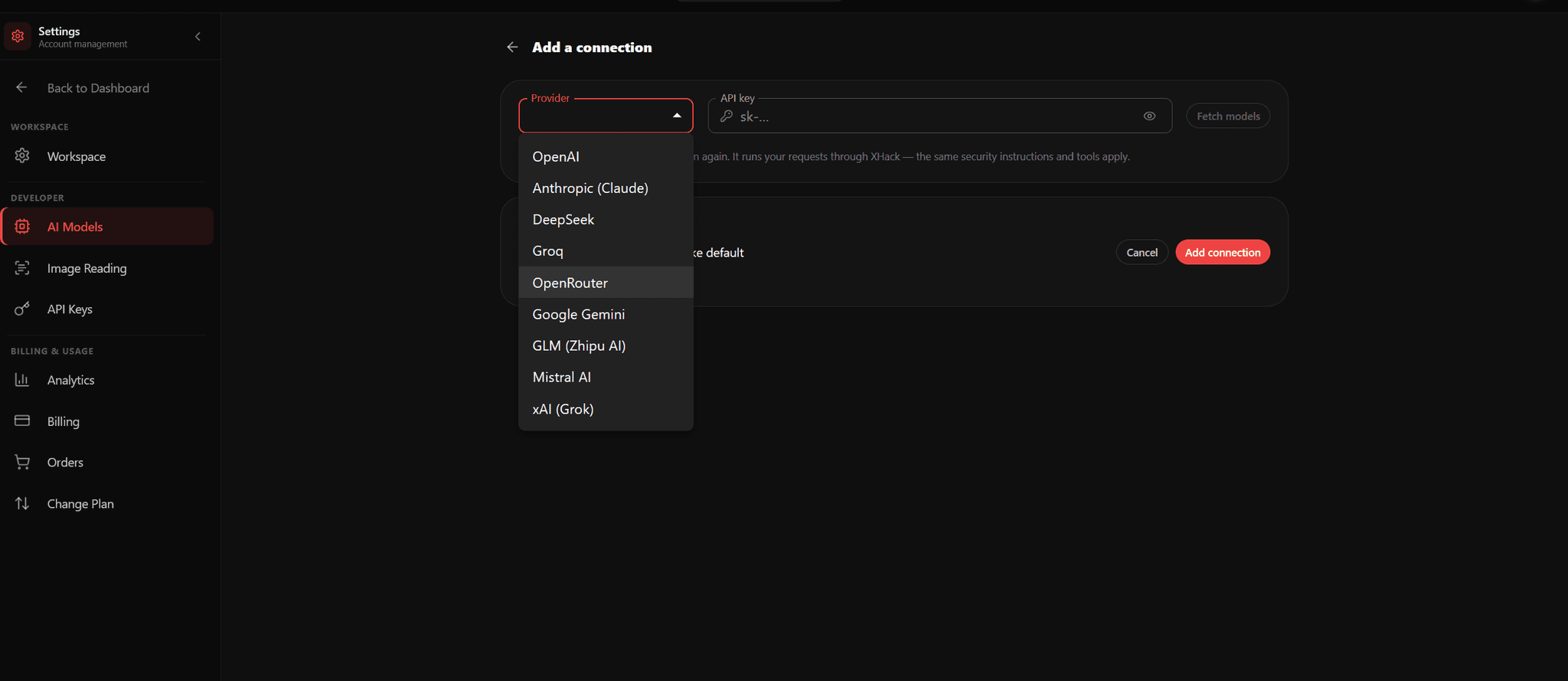
Providers you can connect
- OpenAI — GPT family
- Anthropic Claude
- Google Gemini
- Zhipu GLM
- Mistral
- xAI Grok
- OpenRouter — a single key that unlocks a live catalogue of hundreds of models across providers
Add your key in Settings → AI Models, and XHack fetches that provider's live model list so you pick from exactly what your account can access — no guessing at model names.
How it works, in three clicks
- Open Settings → AI Models and choose a provider.
- Paste your API key. XHack validates it against the provider before saving, then encrypts it at rest — the key is never displayed again, only masked.
- Pick your default model and switch it on. From that moment, your chats and your agent use it.
Turn it off any time and you fall straight back to the built-in XHack model. Nothing to reinstall, nothing to reconfigure.
Stack keys and set a fallback order
Add more than one key and arrange them in priority order. If your first provider is rate-limited or has an outage mid-assessment, XHack automatically falls through to the next connection — so a single provider hiccup never stops your work. Set one as the default and reorder the rest to taste.
Full control over spend and data
A BYOK request bills your provider account, on your terms. You choose the model, you see your own provider's usage, and your data flows under the agreement you already have with them. It is the right fit for teams that have already approved and budgeted a specific vendor — or that simply want a model XHack doesn't ship by default.
Choose the right model for the job
Different models have different strengths — some are sharper at code and exploit development, others at long-form report writing or threat-intelligence synthesis. Because switching is a single dropdown, you can match the model to the task and change it mid-session without losing context. Your conversation and your agent's progress carry across the switch.
Secure by construction
- Encrypted at rest — keys are stored with AES-256 encryption and never returned to the browser in plaintext.
- Write-only — the UI only ever shows a masked value; validation happens server-side against the provider.
- Yours alone — a key is scoped to your account; no one else can read or use it.
- Entitlement-gated — BYOK is available on eligible plans, and the platform enforces that at the point a request actually selects your key, not just in the interface.
Try it on your own stack
Run this against a target you own and judge it on what it finds, not on a description.
Get StartedQuestions about this?
You get a researcher on the call, not a sales engineer reading the same page back to you.
Contact supportMore in Platform
Capabilities that sit alongside this one.